What I Learned at the Kiro x Quick Workshop by AWS User Group PH
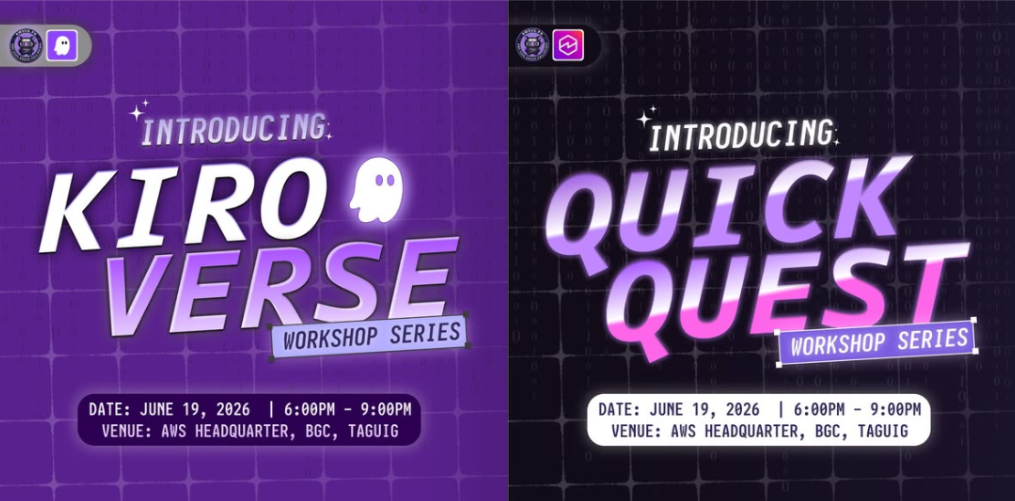
I went into the Kiro x Quick workshop expecting a few demos and a lot of slides. I came out with a different way of thinking about how software gets built.
Hosted by the AWS User Group PH, the workshop was split into two parts: Kiro, an AI-powered development tool, and Quick, a tool for research, CRMs, and no-code apps. Here is what I learned.
Why this matters
If you are a student or beginner developer wondering how AI fits into real development work, this is for you. AI-assisted development is not only about asking a chatbot for code. It is about having a structured process, better tools, and a shorter path from idea to working product.
Part 1: Kiro
Getting started with the Kiro CLI
We started with the Kiro CLI, which brings AI assistance right into the terminal. For someone who already lives in the command line, this feels natural. You describe what you want, and the tool helps you plan, write, and iterate on code without leaving your workflow.
AIDLC: a structure for building with AI
One of my biggest takeaways was AIDLC (AI-Driven Development Life Cycle). Instead of jumping straight into prompting and hoping for the best, AIDLC gives AI-assisted work a clear process: define the requirements, plan, build, and review.
The lesson for me was that the quality of what AI produces depends heavily on how well you guide it. Good structure leads to better results and fewer surprises.
Motion using Python
We also explored motion using Python, using code to create animated visuals. It showed me that code can be a creative medium too, not just a tool for logic and data.
Figma and full stack development
We then connected Figma to development, going from design to a working full stack application. Seeing a design turn into real, running code was the most exciting part for me. It shows how the gap between designer and developer keeps getting smaller, which matters a lot for anyone working with React, Next.js, and TypeScript.
Part 2: Quick
Research
In the second half, we used Quick for research. Instead of manually digging through many sources, Quick helps gather and organize information faster, leaving more time for analysis and decisions.
CRMs
We also looked at using Quick for CRMs (Customer Relationship Management). Tracking contacts, leads, and follow-ups is something almost every project, business, or community needs, and this showed how approachable it can be.
Building a no-code app
Finally, we built a no-code app with Quick. Going from an idea to a working app without writing traditional code lowers the barrier to shipping, and it is a great way to prototype quickly before investing in a full build.
Key takeaways
- Structure beats random prompting. AIDLC showed me that a clear process makes AI a far better collaborator.
- Design-to-code is getting shorter. Combining Figma with AI-assisted full stack development speeds up the whole journey.
- No-code and low-code tools are powerful. Quick makes research, CRMs, and app building accessible to almost anyone.
- Community learning works. Events like this make new tools much easier to understand than reading docs alone.
What I will do next
I plan to apply these tools to my own projects and use AI-assisted workflows more intentionally, with a clear plan first and AI as a partner in the build. I also want to keep sharing what I learn along the way.
Conclusion
This workshop changed how I see AI in development. It is not about replacing developers. It is about building smarter, faster, and with more structure. Thank you to the AWS User Group PH and the speakers for a learning-packed session.
Have you tried Kiro or Quick?
Share your experience with me. And if you are in the Philippines, join the next AWS User Group PH event. You will leave with new skills and a new network.